
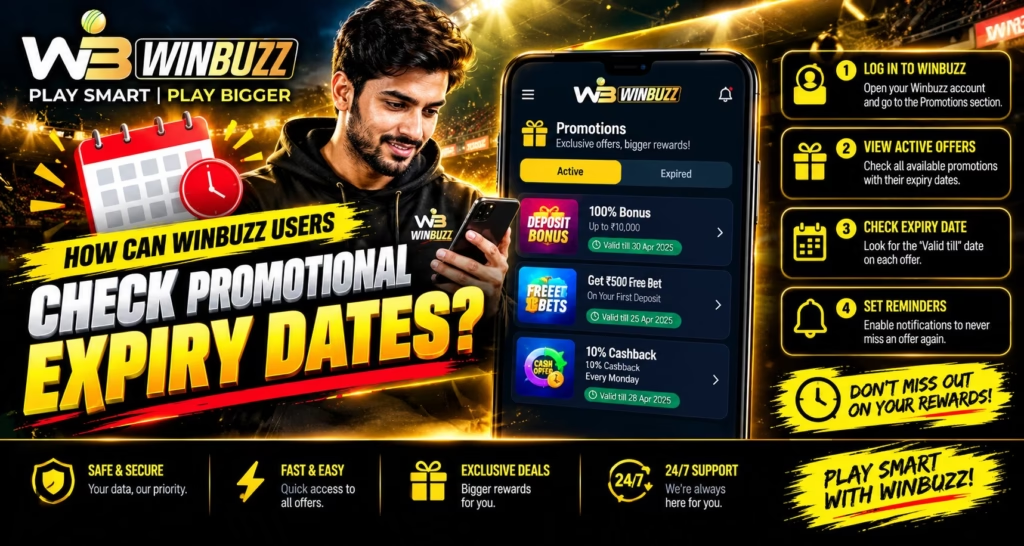
An offer says it ends tonight, but your account shows a different date. Which one applies? For Winbuzz users, checking promotional expiry dates means reading the specific offer terms alongside any account information available, rather than relying on a banner alone.
We recommend identifying what expires, the exact cutoff time, and the applicable time zone. This helps you understand an existing promotion without making rushed decisions or assuming that a visible offer is legally available in your location.
Find the terms that belong to your exact offer
Start with the original promotional message or offer details. Look for wording such as “valid until,” “claim by,” or “expires on.” Section names vary, so do not assume every website has an identical promotions menu.
Match the promotion name and reference, if provided, against your account records. A general bonus page may describe different conditions. Once you have the correct offer, separate its deadlines.
Separate the claim deadline from the usage deadline
An offer may have a closing date for claiming it and a separate period for using an allocated benefit. Any qualifying requirements may also have their own deadline.
For example, an imaginary offer could close on 12 November while an already allocated reward expires on 14 November. These dates describe different stages, not necessarily an error. Check which stage the displayed date refers to before comparing times.
Confirm the time zone before interpreting midnight
“Ends at midnight” is incomplete unless the relevant date and time zone are clear. Indian readers should check whether the stated time uses IST, UTC, or another specified zone.
As an example, 18:30 UTC corresponds to midnight IST at the start of the following calendar day. Readers abroad should use the stated reference zone rather than their phone clock alone. If the wording remains unclear, check the account details next.
Compare account details with the original message
After completing your Winbuzz login through your verified account page, review any available promotion record. Look for an expiry timestamp, status, or accompanying terms. These details may not be displayed in every interface.
If the banner and account disagree, save both views with the date and time of capture. Avoid assuming that whichever deadline is later must apply. Clear records make a support enquiry easier to answer.
Ask support a question that resolves the mismatch
Instead of asking only “Is my bonus active?”, identify the promotion and describe the conflicting dates. Ask which cutoff applies, which time zone it uses, and whether it concerns claiming, usage, or qualification.
We recommend requesting a written explanation of the relevant condition. Never send passwords or OTPs, and hide unrelated information in screenshots. Written clarification is more useful than repeatedly refreshing the same screen.
Keep a simple record without chasing the deadline
Save the offer wording, applicable dates, and any clarification together. This record can help if the status later changes or an expiry needs explaining.
A reminder can prompt you to review information, but it should not pressure you into depositing or increasing activity. Clear dates improve ease of use, while readable terms across mobile and desktop support better customer understanding. With those details recorded, you can decide calmly.
Read More : Winbuzz APK for Android: Download and Installation Guide
Conclusion
To understand Winbuzz promotional expiry dates, match the exact offer, distinguish its deadlines, confirm the time zone, and resolve conflicting information in writing. We encourage you to ask for clarification whenever the terms leave room for doubt. Let a deadline guide your record keeping rather than your spending.
FAQs
Does every promotion have the same expiry period?
Do not assume so. Read the conditions attached to the specific offer.
Does claiming an offer extend its deadline?
Not automatically. Check whether the terms specify a separate period after allocation.
What if only a date is displayed?
Ask for the exact cutoff time and time zone. Avoid assuming it remains valid throughout your local day.
Can an expired benefit be restored?
Restoration is not guaranteed. Request an explanation of the applicable policy through verified support.
Does a promotional balance mean it is withdrawable?
No. Expiry and withdrawal eligibility are separate questions governed by the applicable conditions.


