
Introduction
Modern browsers are designed to protect users from online threats by identifying suspicious websites, unsafe connections, and potential security risks. These warnings act as an early protection layer before users share personal information or access digital services. For Winbuzz users who browse online platforms through mobile or desktop devices, understanding browser security alerts can help create safer browsing habits.
Ignoring a browser warning may expose users to risks such as data theft, phishing attempts, malware, or unauthorised access. Taking a few moments to understand the warning can prevent bigger security problems later.
What Are Browser Security Warnings?
Browser security warnings are alerts displayed when a browser detects a possible risk while opening a website.
These warnings may appear because of:
- Unsafe website connections
- Expired security certificates
- Suspicious website behaviour
- Potential phishing activity
- Harmful downloads
The purpose of these warnings is to help users make safer decisions before continuing.
Why Should Browser Warnings Be Taken Seriously?
Security warnings are created to protect personal information and device safety.
Ignoring them can increase the risk of:
- Account information being stolen
- Personal data exposure
- Fake websites collecting details
- Malware infections
- Unwanted software installation
A warning does not always mean a website is harmful, but it indicates that users should check carefully before proceeding.
1. Protection Against Phishing Websites
Phishing websites often copy the appearance of genuine platforms to trick users.
They may attempt to collect:
- Usernames
- Passwords
- Payment details
- Verification information
Browser warnings can help identify suspicious pages before users enter sensitive information.
2. Understanding HTTPS and Security Certificates
Many browsers check whether a website has a valid security certificate.
A secure connection helps protect information exchanged between:
- User devices
- Websites
- Online services
Problems with certificates may trigger warnings because the browser cannot confirm the website’s identity.
3. Avoiding Malware and Harmful Downloads
Some websites may contain harmful files or links designed to damage devices.
Security warnings can prevent users from:
- Downloading unsafe files
- Installing unknown applications
- Opening dangerous links
Users should always verify downloads before opening them.
4. Protecting Login Information
Entering login details on unsafe websites can put accounts at risk.
Before completing Winbuzz login or accessing any online account, users should check:
- Website address
- Security indicators
- Browser warnings
- Connection status
Using trusted websites helps reduce the chances of credential theft.
5. Mobile Browsing Safety
Many users access websites through smartphones, making mobile browser security equally important.
Safe mobile browsing habits include:
- Keeping browsers updated
- Avoiding suspicious links
- Checking website addresses
- Using device security features
- Removing unknown applications
A secure device combined with safe browsing habits provides better protection.
Common Browser Warnings Explained
Different warnings may indicate different problems.
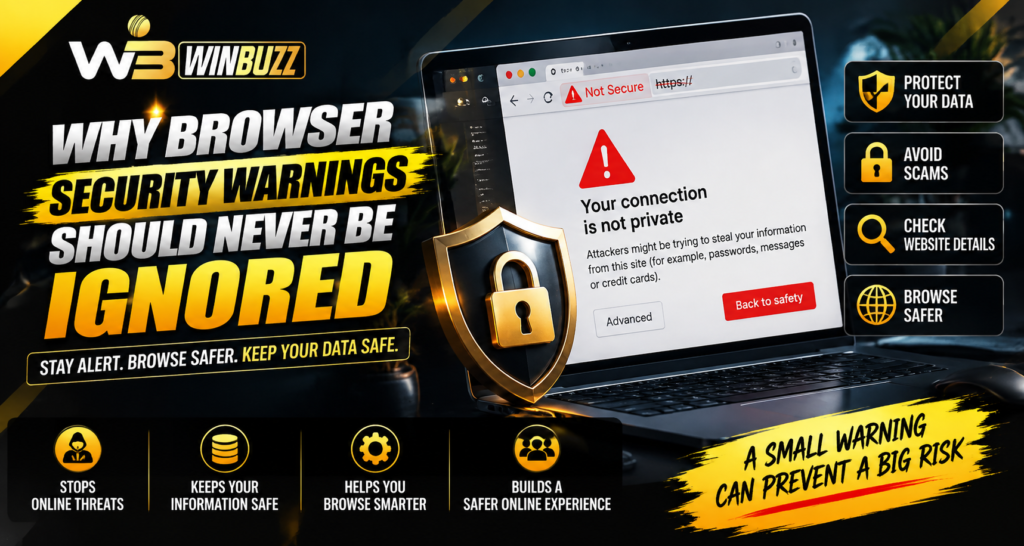
“Your Connection Is Not Private”
This usually means the browser cannot verify the website’s security certificate.
“Deceptive Site Ahead”
This warning may indicate a possible phishing website.
“Dangerous File Blocked”
The browser may have detected a potentially harmful download.
“Website Not Secure”
This suggests the website may not provide a protected connection.
What Should Users Do When a Warning Appears?
Instead of ignoring the warning, users should:
- Read the message carefully
- Check the website address
- Avoid entering personal details
- Close suspicious pages
- Verify information through trusted sources
Taking small precautions can prevent major security issues.
Browser Security Best Practices
Users can improve online safety by following simple habits:
- Keep browsers updated
- Use trusted extensions only
- Clear suspicious downloads
- Avoid unknown websites
- Enable security settings
Regular browser maintenance improves protection against online threats.
Role of Awareness in Online Security
Technology provides protection, but user awareness remains important.
Good security habits include:
- Thinking before clicking links
- Checking website authenticity
- Protecting passwords
- Avoiding public device logins
- Monitoring account activity
For users following Winbuzz live digital updates, safe browsing practices help maintain a more secure online experience.
Conclusion
Browser security warnings should never be ignored because they provide important information about possible online risks. These alerts help users avoid phishing websites, unsafe connections, harmful downloads, and potential data theft.
For anyone accessing online platforms, understanding browser warnings and following secure browsing habits can make digital activities safer. A few extra seconds spent checking a warning can protect valuable personal information and accounts.
FAQs
Why do browsers show security warnings?
Browsers display warnings when they detect possible risks such as unsafe connections, suspicious websites, or harmful files.
Should I continue after seeing a browser warning?
It is better to check the warning details and verify the website before continuing.
Can browser warnings prevent phishing attacks?
Yes. They can help identify suspicious websites designed to steal personal information.
How can I improve browser security?
Keep your browser updated, avoid unknown links, use secure websites, and review security settings.
Are all browser warnings signs of dangerous websites?
Not always. Some warnings may occur due to technical issues, but they should always be checked carefully.