Introduction
Digital payments have made deposits and transfers faster, but even a small mistake in payment information can create unexpected delays. Entering an incorrect account number, wrong UPI details, outdated information, or incomplete payment data may prevent a transaction from being processed smoothly. For Winbuzz users managing account payments, understanding common payment errors can help avoid unnecessary delays and confusion.
Why Accurate Payment Details Matter
Payment systems rely on exact information to identify where money should be transferred. Even a minor mismatch can cause a transaction to fail, remain pending, or require additional verification.
Common payment details include:
- Account numbers
- UPI IDs
- Registered mobile numbers
- Bank details
- Payment references
- Transaction information
Before confirming any payment, users should carefully review all entered details.
How Incorrect Information Can Affect Transactions
When payment details do not match the required information, the system may not be able to complete the request automatically.
Possible outcomes include:
- Payment rejection
- Processing delays
- Pending status
- Manual verification requirements
- Transaction reversal
The exact result depends on the payment method, bank processing system, and platform procedures.
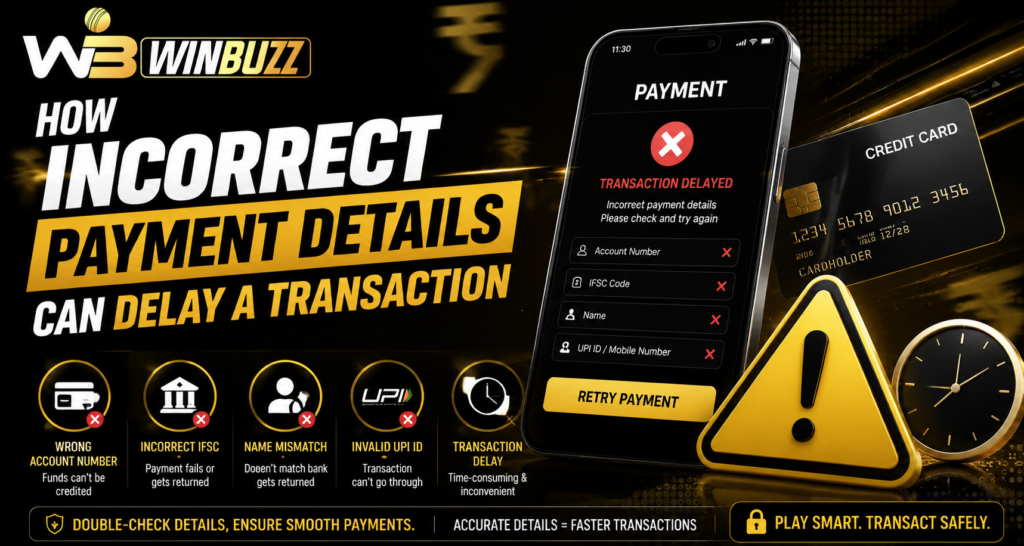
1. Wrong Bank Account Details
Entering incorrect bank information is one of the most common payment mistakes.
Examples include:
- Incorrect account number
- Wrong IFSC code
- Incorrect beneficiary information
- Typing errors in bank details
Banks use these details to identify the destination account. If information does not match, the transfer may be delayed or rejected.
2. Incorrect UPI Information
UPI payments depend on accurate identifiers.
Common mistakes include:
- Wrong UPI ID
- Incorrect registered mobile number
- Selecting the wrong bank account
- Entering details manually instead of selecting saved information
Before confirming a UPI transaction, users should verify that the displayed recipient details match their intended payment destination.
3. Mismatch Between Registered Details
Some payment systems require account details to match previously provided information.
A mismatch may happen when:
- A mobile number has changed
- Bank details are outdated
- Verification information is incomplete
- Account details have not been updated
Keeping information current can reduce unnecessary payment interruptions.
4. Missing Transaction Information
When reporting a payment issue, incomplete details can slow down the investigation process.
Useful information includes:
- Transaction ID
- Payment date and time
- Amount
- Payment method
- Current status
- Reference number
After completing Winbuzz login, users should review available transaction records before contacting support regarding payment problems.
5. How Payment Verification Creates Delays
Sometimes a transaction is delayed because additional checks are required.
Verification may involve:
- Confirming payment ownership
- Reviewing transaction records
- Checking account information
- Matching payment references
These steps are designed to improve security and reduce incorrect transfers.
6. Network and Banking Delays
Not every payment delay is caused by incorrect information.
Transactions can also be affected by:
- Bank server issues
- Payment gateway problems
- Network interruptions
- High transaction volume
- Maintenance periods
Users should check whether the payment details are correct before assuming there is a technical failure.
7. Avoid Repeating Failed Transactions Quickly
If a payment appears delayed or pending, immediately attempting another transaction may create confusion.
Before making another payment:
- Check transaction status
- Review bank history
- Confirm whether money was deducted
- Wait for pending transactions to update
This helps prevent duplicate payment attempts.
How to Prevent Payment Detail Errors
Simple habits can reduce payment problems.
Users should:
- Double-check details before confirmation
- Use saved payment information when available
- Keep registered details updated
- Save transaction references
- Avoid entering information through unknown links
Careful checking takes only a few seconds but can prevent longer delays.
Importance of Secure Payment Practices
Payment information should always be handled carefully.
Never share:
- OTP codes
- Banking PINs
- Card security numbers
- Account passwords
Users following Winbuzz live services should also ensure they access payment pages through trusted channels only.
Conclusion
Incorrect payment details are one of the most common reasons transactions experience delays. Small errors in account numbers, UPI information, or registration details can interrupt automatic processing and require additional verification.
Checking payment information carefully, keeping records, and using secure payment practices can make transactions smoother. When a delay occurs, reviewing transaction history and providing accurate details can help resolve the issue more efficiently.
FAQs
Can incorrect payment details cause a transaction failure?
Yes. Wrong account information, UPI details, or payment references can cause transactions to fail or remain pending.
What should I check before making a payment?
Verify the account details, payment method, amount, and recipient information before confirming.
Why is my payment still pending?
A pending payment may result from incorrect details, bank delays, network issues, or additional verification checks.
Should I make another payment if the first one is delayed?
It is better to check the transaction status first to avoid duplicate payments.
What information is needed to report a payment issue?
Transaction ID, payment amount, date, payment method, and reference details can help support teams investigate the issue.